Android Screen Projection from 50 Mobile Phones to Computers: Hardware Configuration and Practical Deployment Guide
Android Screen Projection from 50 Mobile Phones to Computers: Hardware Configuration and Practical Deployment Guide
In mobile game AFK, APP automation testing, or live streaming matrix operation, Android screen casting to the computer is the core link to improve efficiency. But when the device scale reaches 50 units, ordinary USB hubs and power supply solutions will face triple challenges of bandwidth, power supply, and signal attenuation. The following is a validated hardware deployment plan that, when combined with the "911 screen casting" software, can achieve stable multi screen collaboration.
1、 Core hardware selection (single computer solution)
High performance host: CPU recommended to be i7-12700K or above, memory ≥ 32GB, motherboard must come with at least 2 USB 3.2 Gen2 interfaces (10Gbps). Independent graphics cards (such as RTX 3060) are used to accelerate image rendering and avoid CPU overload. Industrial grade 50 port HUB hub: Do not choose a regular passive HUB, you must use an industrial grade USB 3.0 hub with independent power supply (12V/10A or above), and each port must have independent overcurrent protection. Recommend models that support "grouped power supply" to avoid voltage drops when 50 phones are charging simultaneously. Data cable and signal enhancement: Choose USB-A to Type-C data cable with magnetic ring shielding layer, with a length not exceeding 1.5 meters to reduce signal attenuation. If the computer is far away from the HUB, an active USB extension cable (with built-in signal relay chip) needs to be used.
2、 Connection and power supply architecture
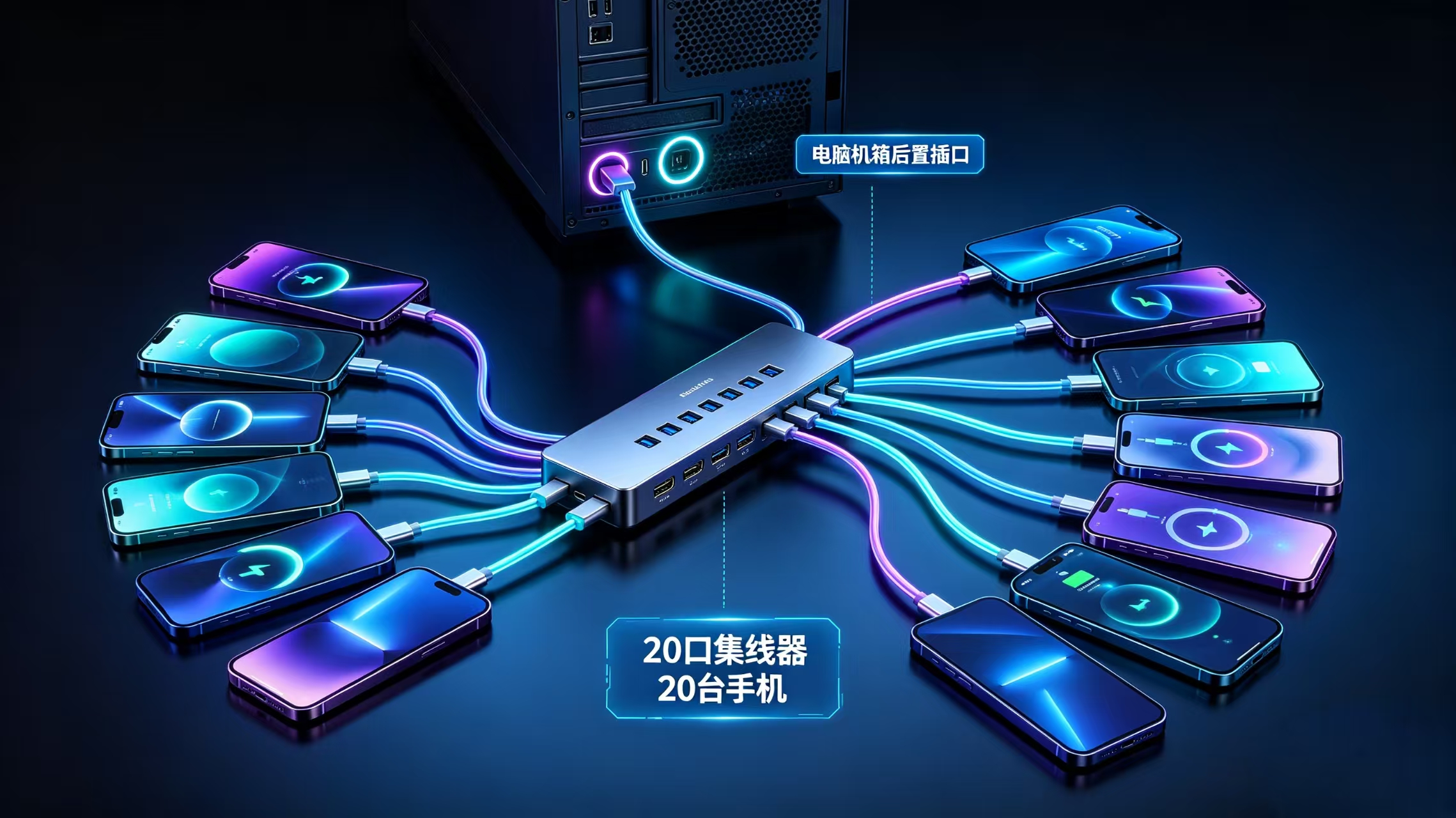
Physical connection: Connect the upstream port of the 50 port HUB directly to the high-speed port of the computer motherboard (not the front port of the chassis) through a USB 3.0 cable. All mobile phones are connected to various ports of the HUB through data cables. Power supply strategy: The HUB is connected to the mains power supply independently, and it is recommended to prepare a backup charging pad for the phone, as some phones consume power quickly when the screen is turned on, and the HUB power supply may be insufficient. It can be supplemented with a data cable in "charging only" mode (without data function).
3、 Software Deployment and Optimization (911 Screen Projection)

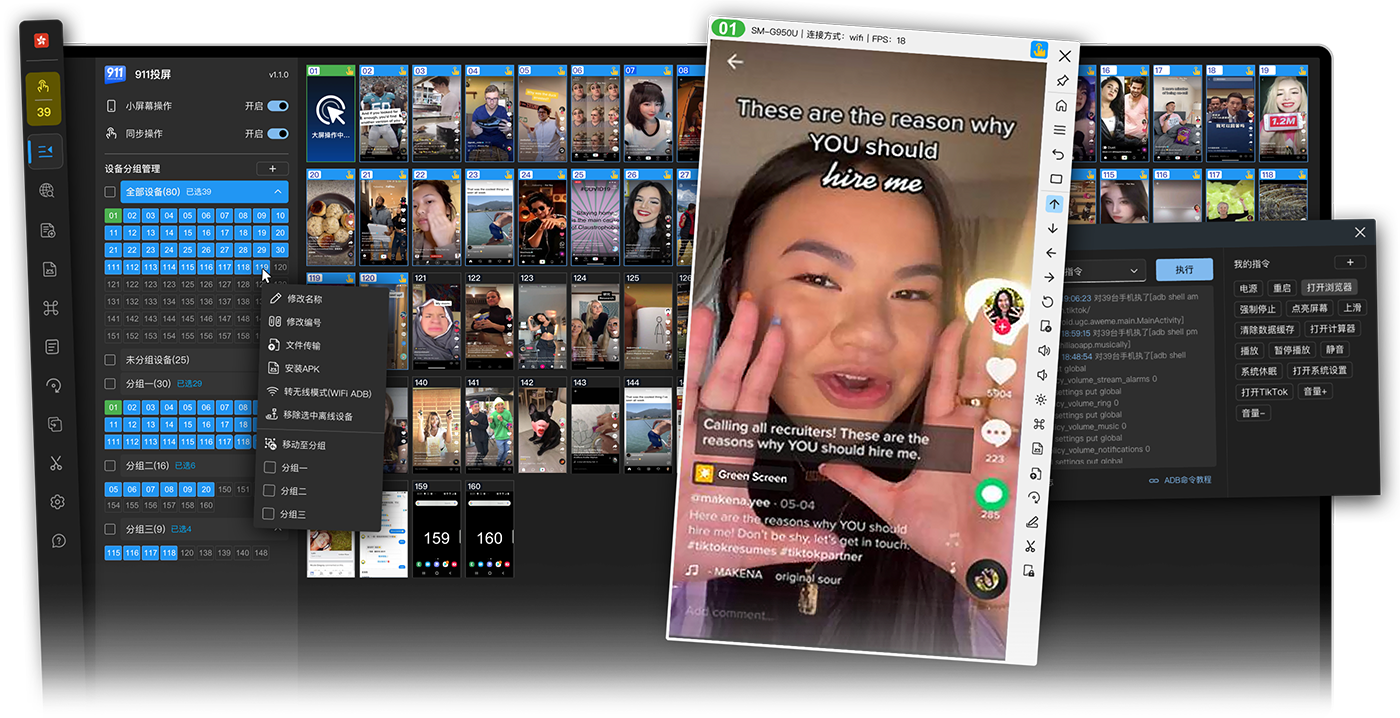
Drivers and Ports: Install universal ADB drivers from mobile phone manufacturers on the computer, and batch modify ADB port numbers (such as 5555-5604) to avoid conflicts. 911 screen mirroring settings: After opening the software, select "multi device mode" and check all 50 devices. It is recommended to enable hardware decoding and image compression (H.264), adjust the single channel bitrate to 2Mbps, and the total bandwidth requirement is about 100Mbps. It is necessary to ensure that the computer network card is at least gigabit. Batch operation: By utilizing the software's "synchronous control" or "script recording" functions, one click startup, APK installation, or sliding operations can be achieved, greatly improving the efficiency of Android screen casting management.
4、 Precautions
Heat dissipation: The 50 port HUB and computer case need to be placed in a ventilated environment, and a USB fan can be installed to dissipate heat from the HUB. USB controller bandwidth: If the motherboard only has one USB controller, it is recommended to use it separately - connect the 50 port HUB to a PCI-E to USB 3.0 expansion card, allocate bandwidth independently, and avoid screen lag.
The total cost of this plan is about 8000-12000 yuan (including HUB, cables, and graphics card), suitable for small and medium-sized studios. Tested on Windows 11 Professional, the screen casting delay of 50 Android phones can be controlled within 80ms, meeting the vast majority of automation scenarios. Remember to regularly check the oxidation status of the wire interface to ensure long-term stable operation.